A visual editor: change the invitation and see it at once
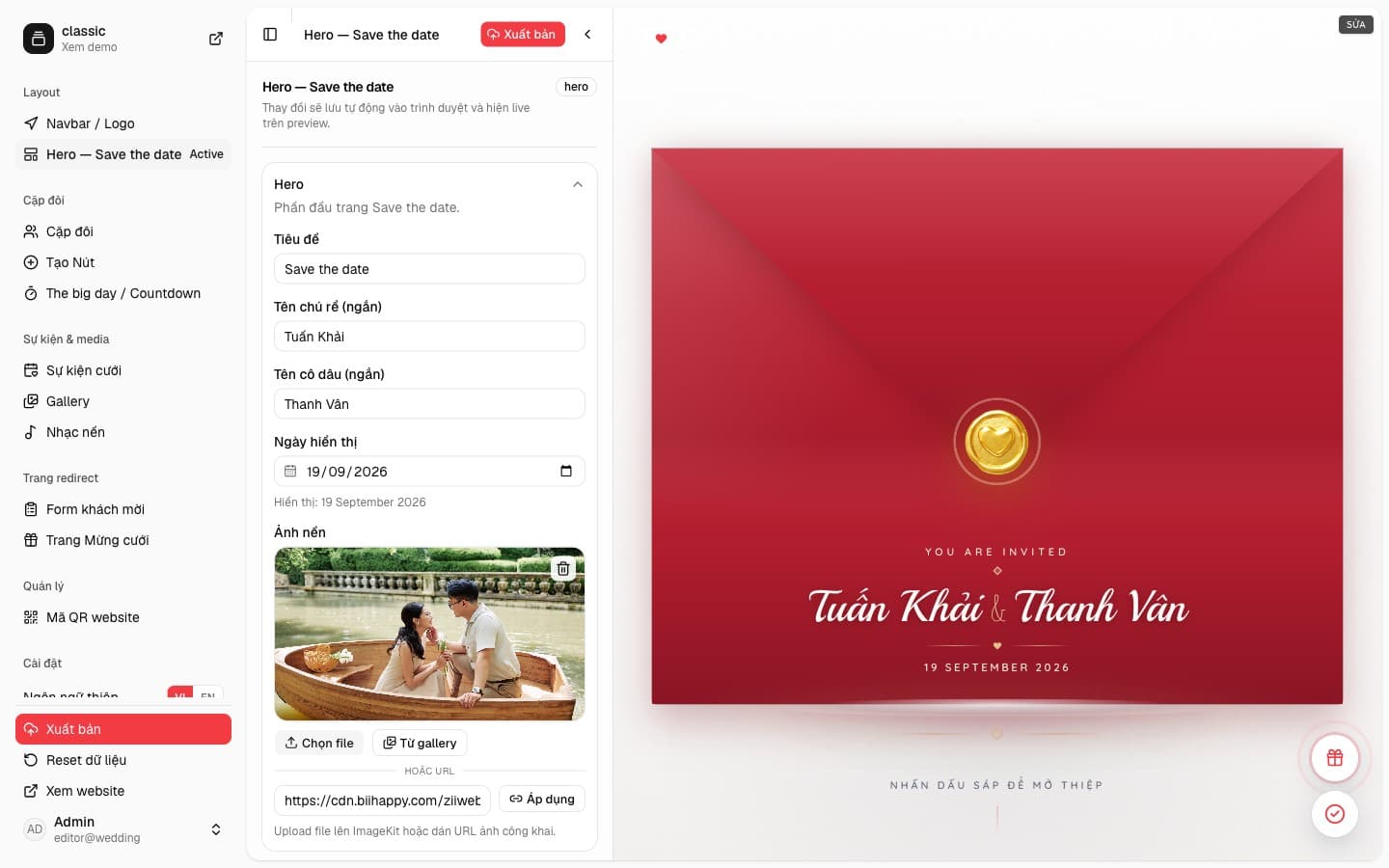
On the Classic template the editor is three panes. The sidebar picks a section, the form holds that section’s copy, and the preview on the right is the invitation guests will open.
wedi
Edit one section at a time
Classic’s sidebar groups the navbar and hero, then the couple, buttons, countdown, events, gallery, and music. Redirect pages cover the guest form and the gift page. Management holds the QR code. Choose an item and the form switches with it.
The form states that changes are kept in the browser and shown live on the preview. Publish sends the edited content. You do not write HTML or CSS.
Classic’s hero is a wax-seal envelope
Open Hero — Save the date to edit the title, the couple’s short names, the displayed date, and the background photo. The photo can be a file, a gallery image, or a public URL. On the preview, Classic shows a red envelope, a gold seal, “You are invited”, the names, and the date. Guests press the seal to open the invitation.
The same pattern covers the couple, the events, and the buttons on the page. One form, one preview. That is wedi’s visual editor on the Classic template.