A photo gallery in the invitation’s layout
Classic’s gallery is an album on the invitation, not a separate photo site. You edit the quote, add or reorder photos, and the preview lays them out as a masonry grid.
wedi
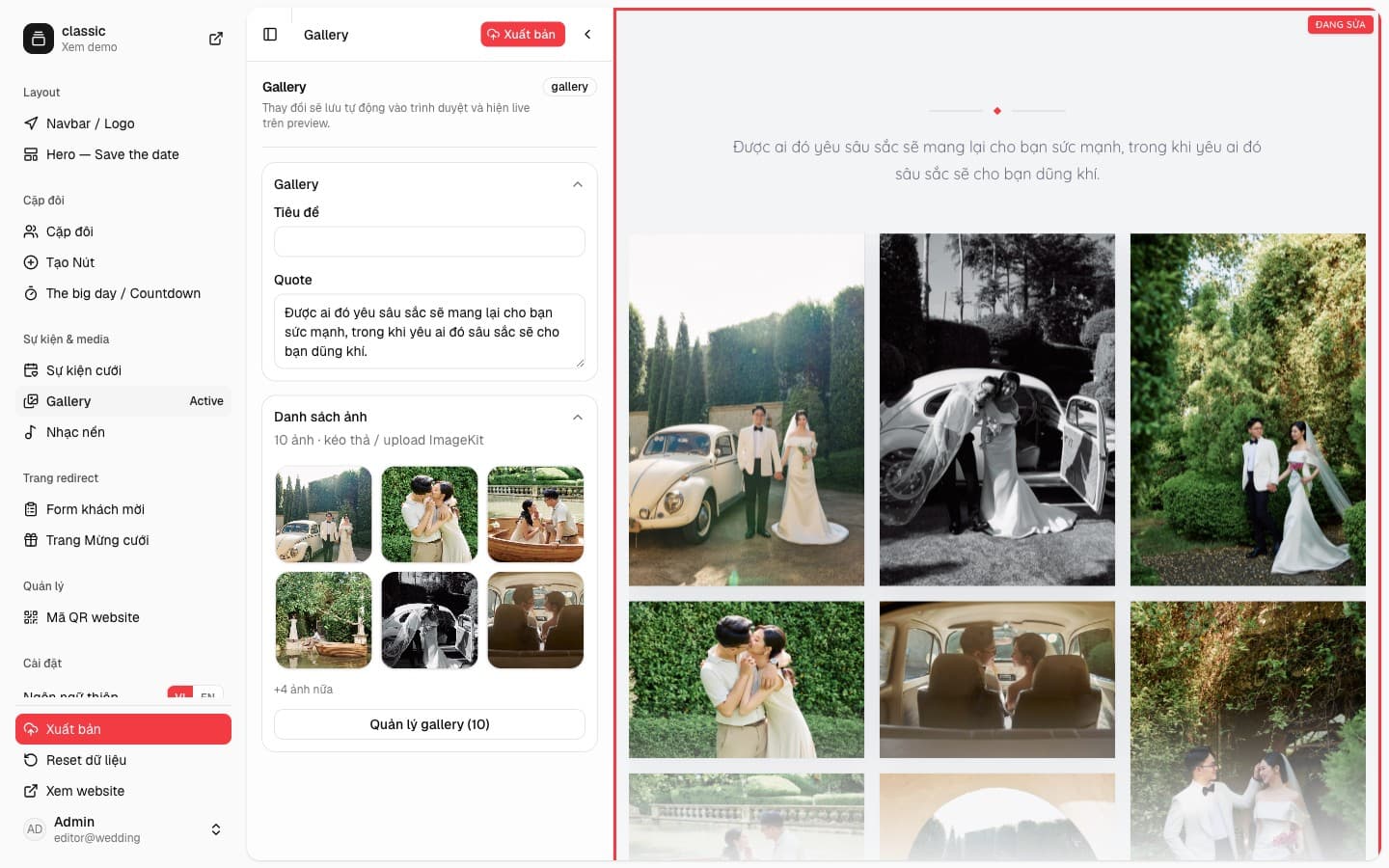
The quote and the photo list
The Gallery form has a title, if you want a heading, and a Quote field. The sample leaves the title empty and uses a short love quote. Under that is the photo list: Classic has 10 photos, the form shows the first six and counts the rest. Photos can be dragged or uploaded to ImageKit.
Manage gallery opens the full album: add, remove, and reorder. Other sections, such as the Hero, can pull their cover from this same gallery.
Guests see one grid on the invitation
The preview keeps the quote on top, then stacks the wedding photos in columns, each at its real ratio. A show-more control appears when the album is long. Guests tap a photo to open it, then move to the next. The layout stays inside the Classic invitation, on the same page as the couple and the events.