An invitation QR code, downloaded as a PNG
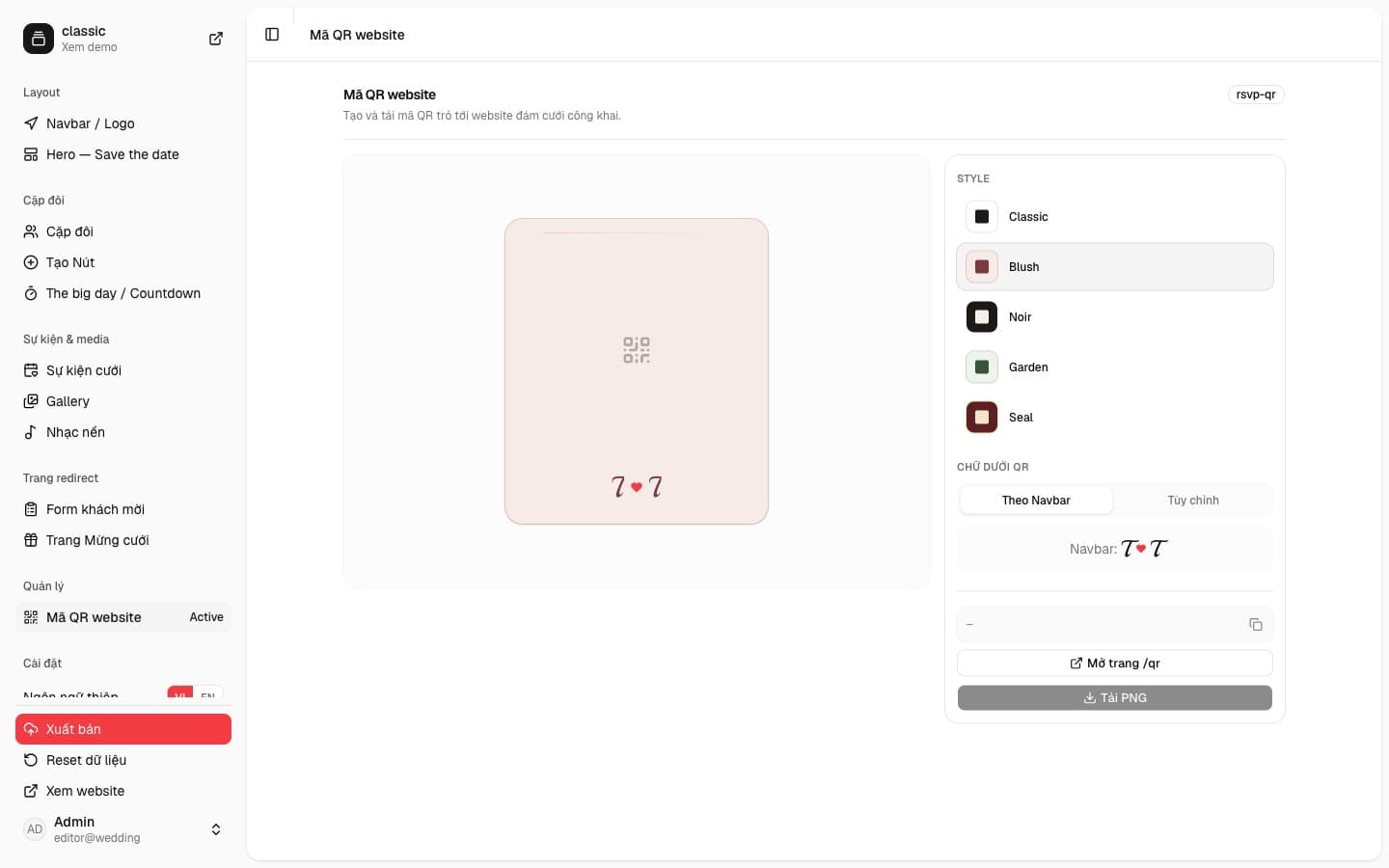
Website QR on the Classic template draws a card with the code in the center. You choose a style and the line underneath, then download a PNG for the paper invitation. Guests scan it and open the website.
wedi
Five card styles
The Style column lists Classic, Blush, Noir, Garden, and Seal. Each one has its own ground and code color. The preview on the left updates as soon as you choose. In the screenshot, Classic is a pale card with a monogram under the code.
The caption and the file you print
The caption has two modes. From the navbar uses the monogram already on the menu, such as T and T with a heart between them. Custom lets you type a line of your own. Below that are the site link, a button that opens /qr, and Download PNG.
The PNG is the card image, code and caption included, ready for a print file. Once the website has a public address, the code points there. Guests do not have to type the link.