Background music guests can turn on or off
Classic’s Music section attaches songs to the invitation. The control sits at the bottom-left of the page. Guests turn it on or off. There is no separate player to open.
wedi
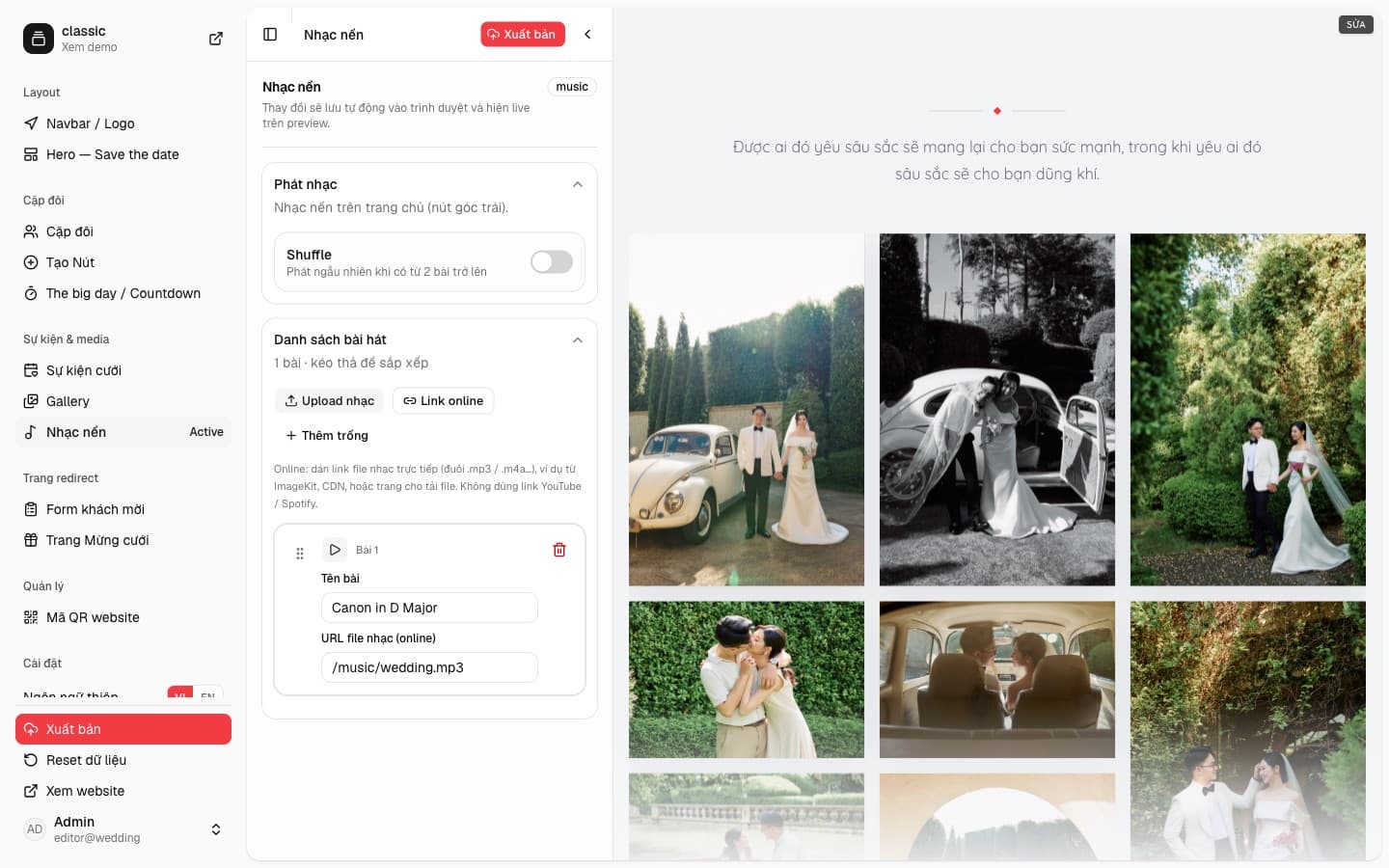
One song, or a list
Playback has a Shuffle switch. Shuffle only mixes the list when there are two or more tracks. Under that, the list can be dragged. Classic starts with one track, “Canon in D Major”, pointing at /music/wedding.mp3. You can rename it, change the URL, preview it, or remove it.
Add music with Upload, with an online link, or with an empty row to fill in later. The link has to be a direct audio file, mp3 or m4a, from ImageKit, a CDN, or a file host. YouTube and Spotify links do not play inside the invitation.
Guests control the button
Once the invitation has at least one valid URL, the music button appears at the bottom-left. A guest in a loud room can turn it off. The choice is remembered on their device. You do not need a separate music page: the song travels with the Classic invitation.